Features
Every line here describes behaviour that exists in the current build.
A cashier's day
- The cashier signs in with their own PIN, so every action belongs to a person.
- Opens the shift with an opening float in the drawer.
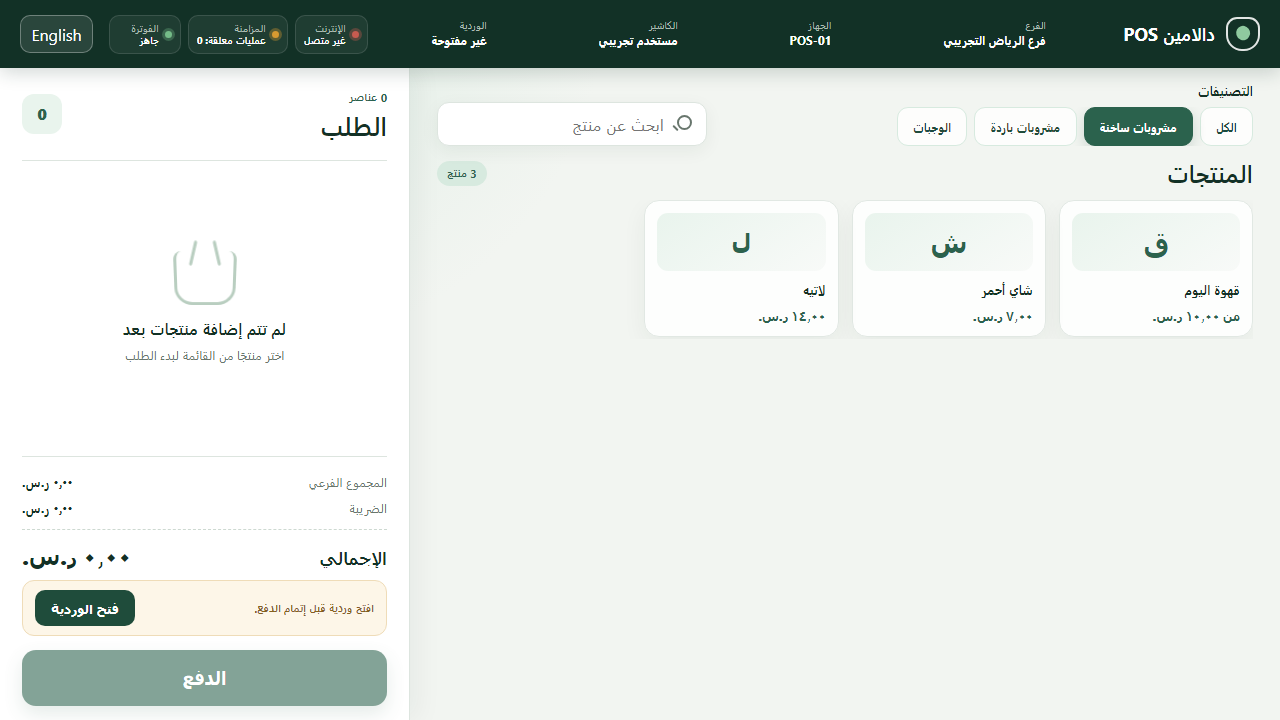
- Chooses items, options and quantities; the total updates as they go.
- Cash or card, then complete the sale.
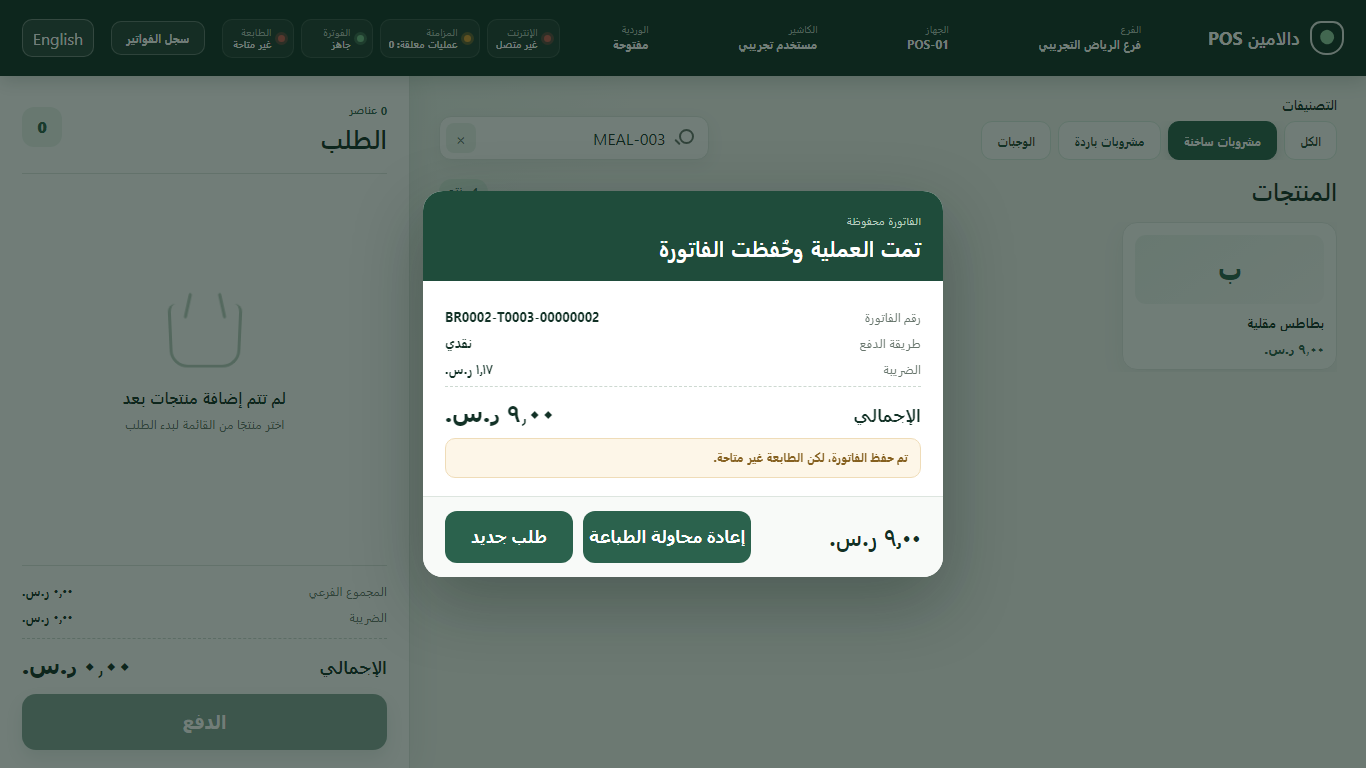
- Issues the receipt document for the sale.
- Closes the shift by counting the drawer; any difference is shown as it is.
Working offline
- The sale is completed locally on the device in one transaction, and waits for no network request.
- What still has to be sent is kept in a local queue instead of being lost.
- When the connection returns, synchronisation resumes where it stopped, without duplicating invoices.
- If power is lost mid-sale, the next start says what happened to it rather than guessing.
What is described here is tested against network loss and power loss. We do not claim any system never fails; we claim that selling does not depend on the network, and that what has not been sent yet is kept.
Shifts and cash
- An opening float when the shift starts.
- Cash in and cash out recorded during the shift.
- A drawer count at close, showing the difference between expected and actual exactly as it is.
Receipts and printing
- The receipt document is built from the invoice itself, as a snapshot that does not change later.
- It is rendered to standard ESC/POS commands for 80mm printers.
- It goes into a durable print queue, so a printer that is off does not mean a receipt that is gone.
- The cashier sees the print status and can ask for it again.
Printing has not been tried on physical printers yet; see the hardware page.
Menu and branches
- The menu and its prices are managed in the cloud, in one place.
- Changes are published to the devices.
- A device applies them in one go, so a half-updated menu never appears on the screen.
The owner dashboard
- Today's sales: total, order count, average ticket, cash and card.
- A branch selector, within your account only.
- The best-selling items today, ranked by quantity.
- Each device's state, when it was last seen, and what is waiting to sync.
- If a device is offline or holding unsent sales, the dashboard says today's figures may be incomplete, and names the reason.
Refunds are not available in this release, and the dashboard says so rather than showing a zero.
Arabic first
- Arabic is the system's default language, not an option to switch on.
- Right-to-left from the first line, with English available in full.
- The receipt is right-aligned on paper as it is on the screen.
Everything on this page describes behaviour implemented in the current build. What is not finished is stated as such.